

The task is in a tracker.
Requirements, decisions, and discussions spread across ClickUp, Linear, or Jira.
Bring tasks, commits, and pull requests together into a structured record of what you've built — locally, with or without AI.
npm install -g @career-evidence/cliNode.js 20+ · Git · No AI key required
ce run platform Evidence collected → JSON exportedRuns locally01 / THE MISSING CONTEXT
Requirements, decisions, and discussions spread across ClickUp, Linear, or Jira.
The changes span branches, commits, pull requests, and more than one repository.
Preparing a work summary becomes an exercise in reconstructing your own history.
Career Evidence brings the pieces together.
02 / A CONNECTED WORKFLOW
Choose your task tracker and the repositories that hold the implementation.
Reconstruct task-related history from available evidence. Add AI analysis if you choose.
$ ce run my-project Tasks collected Git evidence reconstructedReview associations, add your context, and keep structured results you can return to.
all-tasks.jsonJSONtask-summaries.jsonJSON03 / THE WORK, IN CONTEXT
Start with a task. Follow its implementation.
Keep the evidence and your interpretation distinct.
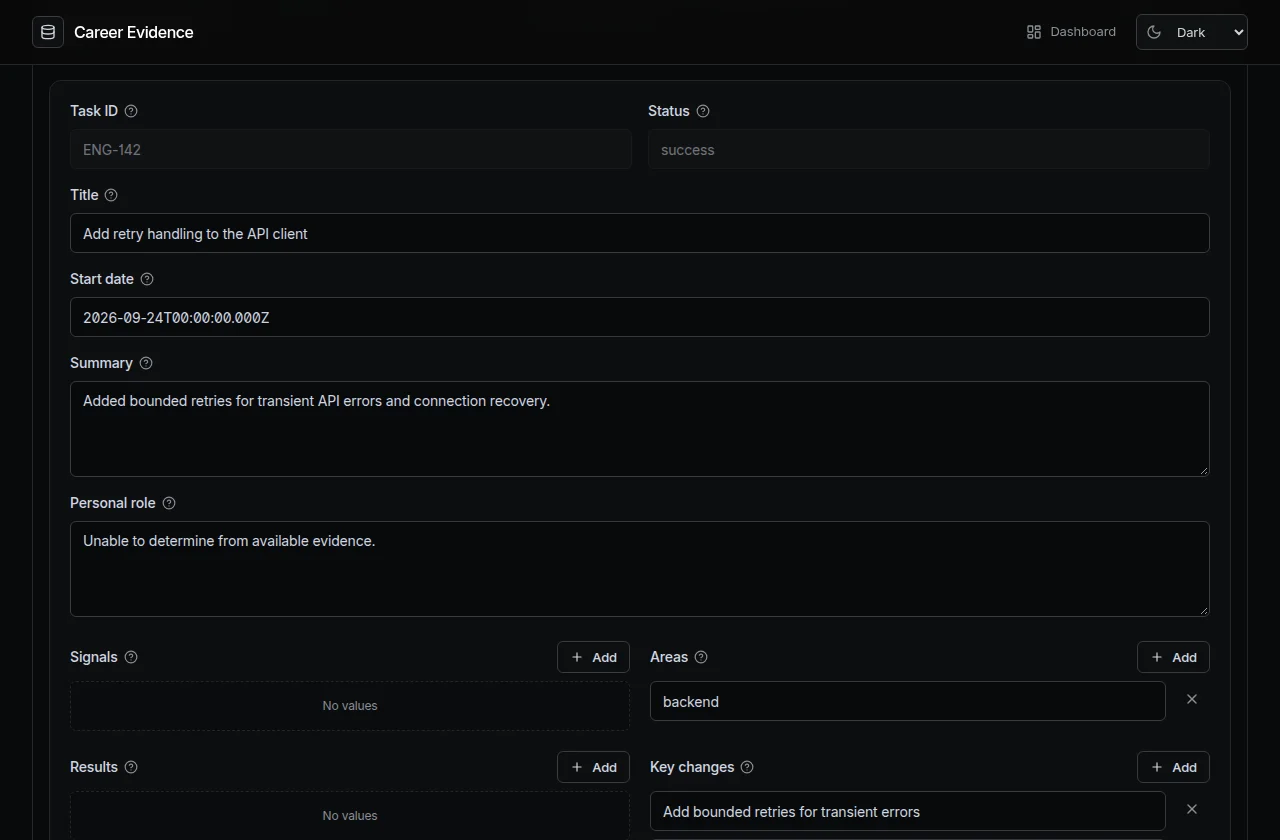
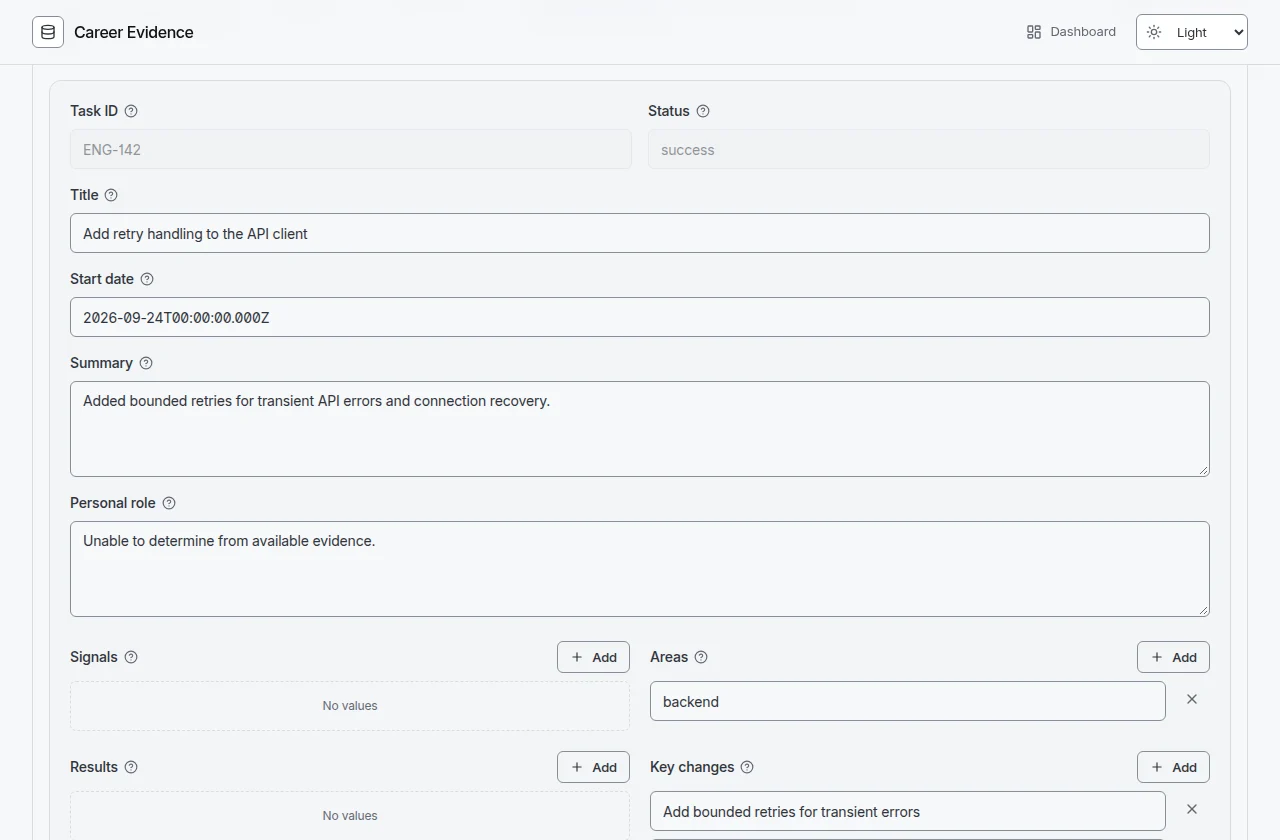
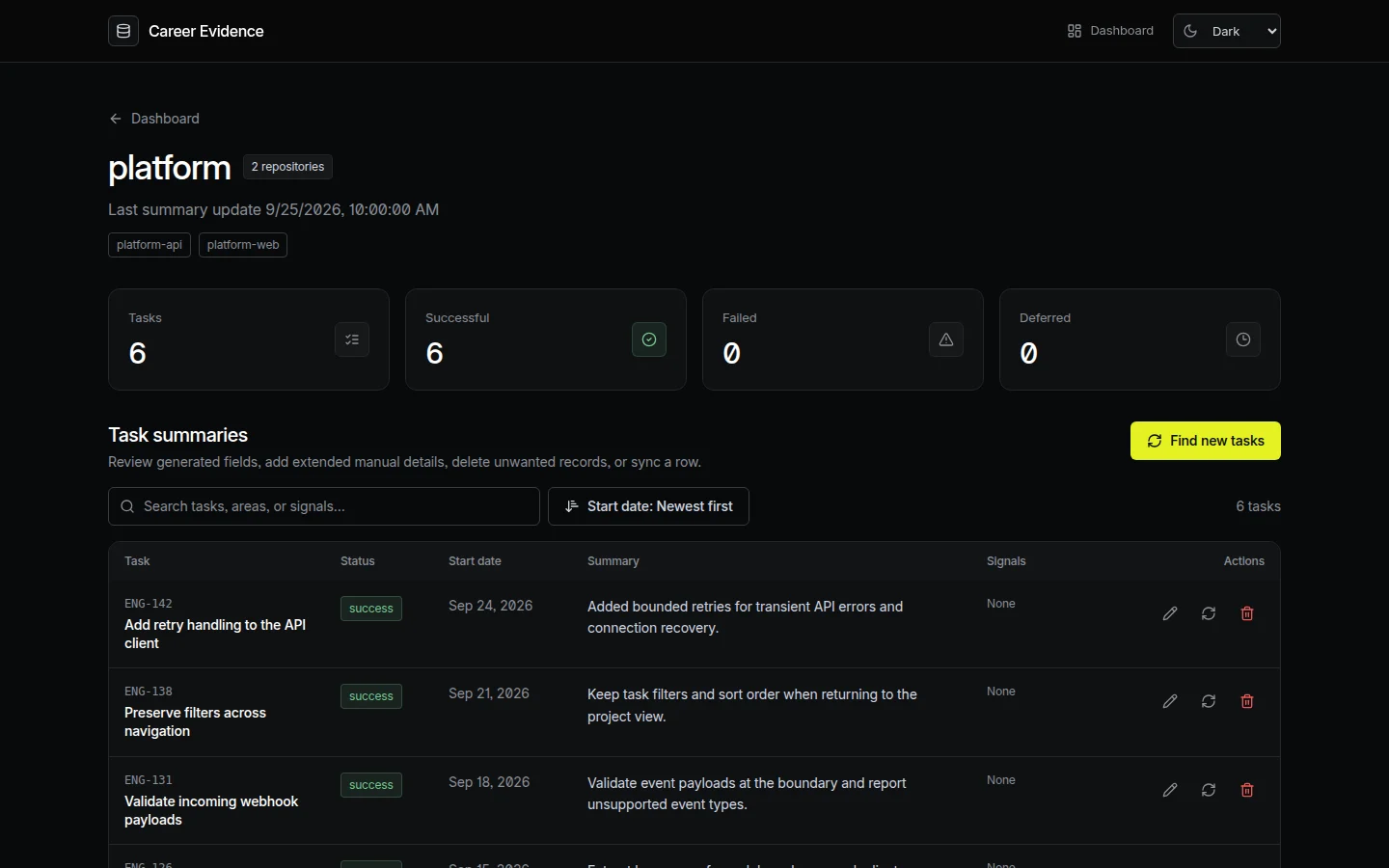
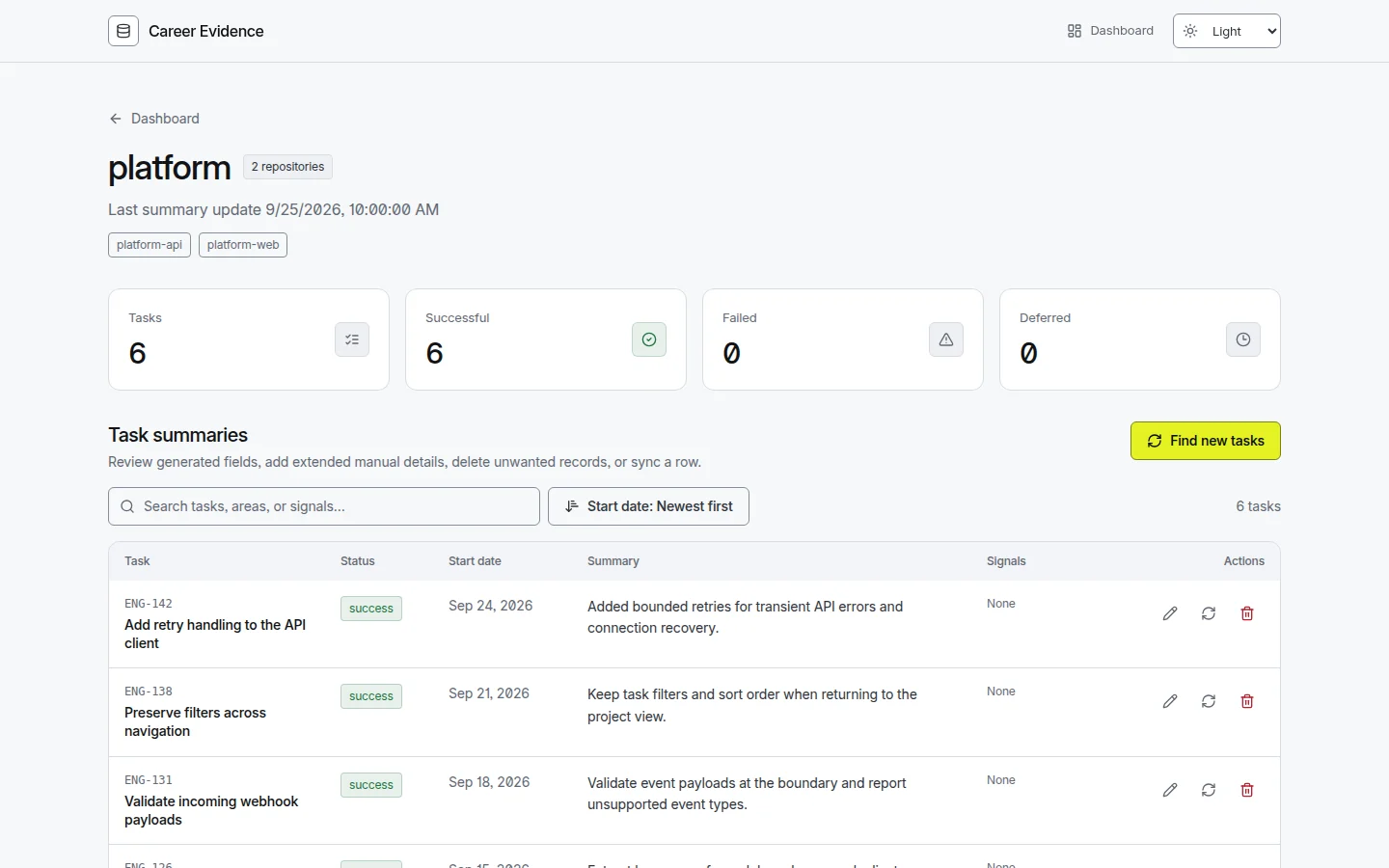
Search task summaries, revisit technical changes, and add the details that only you can provide.
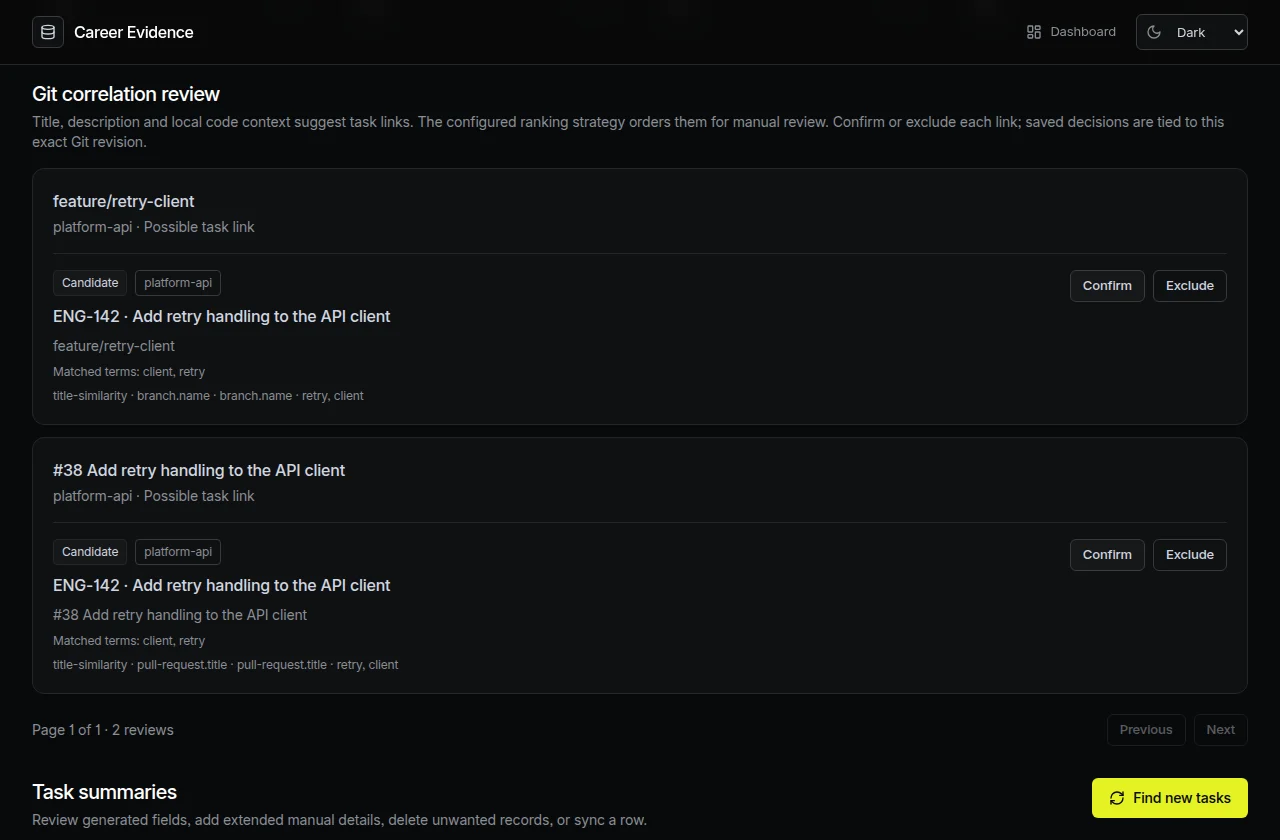
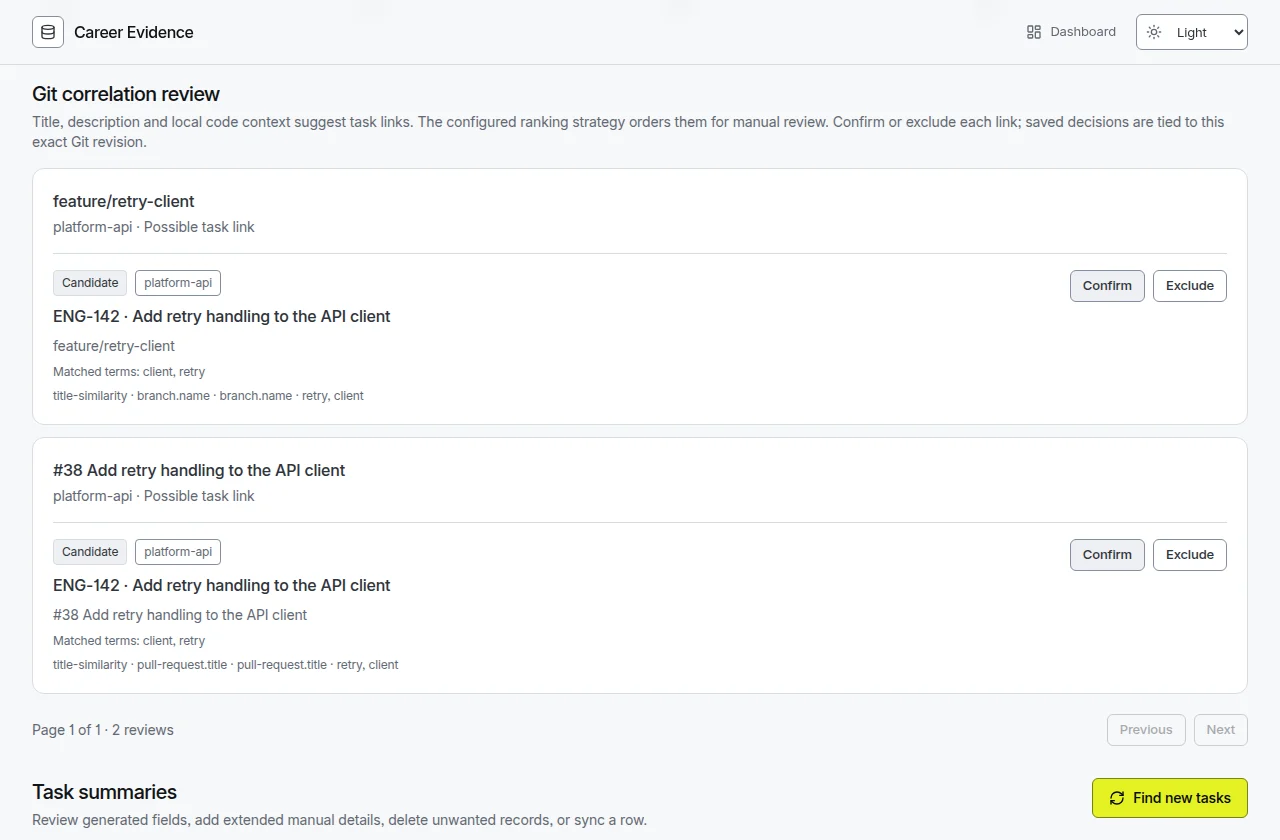
Inspect suggested branch, commit, and PR associations. Confirm useful matches or exclude misleading ones.
{
  "taskId": "ENG-142",
  "title": "Add retry handling to the API client",
  "status": "success",
  "summary": "Added bounded retries and connection recovery.",
  "signals": [],
  "role": "Unable to determine from available evidence.",
  "results": [],
  "areas": [
    "backend"
  ],
  "keyChanges": [
    "Add bounded retries for transient errors",
    "Handle connection recovery"
  ],
  "unknowns": [
    "Personal ownership requires manual context."
  ],
  "details": {}
}Keep detailed source evidence and compact summaries in JSON. Revisit your history or use it in your own workflow.
Evidence depends on available history and source access. Suggested associations and analysis need your review.
04 / MADE FOR REAL ENGINEERING
Bring ClickUp, Linear, or Jira Cloud tasks into one consistent evidence workflow.
Follow implementation across related repositories, with existing checkouts or managed clones.
Enrich local Git history with available GitHub PRs, GitLab MRs, or Bitbucket Cloud PRs.
Choose a supported model for technical summaries, or use conservative, deterministic analysis.
Your CLI, dashboard, configuration, and evidence files run in your own environment.
Keep detailed evidence and compact task summaries in portable JSON files.
05 / CONNECT THE CONTEXT
Choose your sources.
Keep your existing workflow.
Task management
One task source per project.
Source control
One SCM API provider per project.
Analysis, your way
REMOTE PROVIDERS
LOCAL / CUSTOM ENDPOINTS
Ollama · OpenAI-compatibleDeterministic analysis. No model required.
All integrations shown are implemented. Access depends on provider permissions, configuration, and available history.
06 / LOCAL BY DESIGN
Run the CLI and dashboard on your machine. Keep your evidence in local files. Choose whether a model belongs in the process.
$ ce run my-project$ ce webhttp://127.0.0.1:4310Illustrative output · Real commandsLocal-first describes where the tool runs and stores results. Task sources, enabled SCM APIs, and remote AI require network access and receive the data needed for their functions. Diff modes may send selected code hunks.
07 / START WITH YOUR SOURCES
One package. Your task tracker.
Your existing Git checkout.
Requires Node.js 20+, npm, and Git.
npm install -g @career-evidence/cli
career-evidence init
career-evidence config pathReplace the generated config with the no-AI example below. Add your ClickUp token, workspace and user IDs, absolute checkout path, and base branch.
The init template enables remote AI and GitHub enrichment. Replace it before running this no-AI workflow.
{
  "projects": {
    "my-project": {
      "taskSource": {
        "provider": "clickup",
        "apiKey": "<clickup-personal-api-token>",
        "workspaceId": "123456",
        "userIds": [
          "789"
        ]
      },
      "scm": {
        "provider": "github",
        "enabled": false,
        "apiKey": "",
        "repositories": [
          {
            "name": "application",
            "localPath": "/absolute/path/to/your/repository",
            "baseBranches": [
              "main"
            ],
            "enrichment": false
          }
        ]
      },
      "analysis": {
        "enabled": false
      }
    }
  }
}
Values in angle brackets are placeholders. Protect your config: credentials are stored as plaintext. Prepare access
Validate configuration, run the pipeline, then open the local URL printed by web.
career-evidence config validate my-project
career-evidence run my-project
career-evidence web
08 / A FEW USEFUL ANSWERS
The details, before you get started.
A local-first developer tool that connects task trackers with Git history to reconstruct a structured, traceable record of engineering work. Use the CLI and local Web UI to explore tasks, review suggested links, add context, and export results. It does not automatically establish personal ownership or business impact.
No. Deterministic analysis needs no AI key. Local AI can use Ollama or an OpenAI-compatible local endpoint. Remote AI requires the credentials and model access expected by your chosen provider. Task trackers still require their own credentials.
Yes. Set analysis to exactly { "enabled": false } and keep the default buildIn evidence ranking. Collection, conservative summaries, manual review, editing, and JSON exports remain available. The generated init template enables remote AI, so replace it with the documented no-AI configuration before running.
Yes. Configure several repositories per project, using existing local checkouts or managed clones. Career Evidence collects available Git evidence across them. One task source and one SCM API provider can be selected per project.
ClickUp, Linear, and Jira Cloud. Collection is limited by account permissions, source visibility, and your configured scope and assignee filters. Jira Server and Data Center are not supported.
Yes. Run career-evidence web and open the URL printed in your terminal, normally http://127.0.0.1:4310. The dashboard is bundled with the CLI and binds to the loopback interface. No separate frontend server or database is needed.
Configuration, evidence, summaries, and caches are stored locally. Task collection and enabled SCM enrichment contact the configured services. Remote AI receives the context needed for analysis; diff modes may send selected code hunks. A local model uses your configured endpoint. Local storage is not encrypted by the application.
Yes. run or export writes all-tasks.json with detailed evidence and analysis, and task-summaries.json with compact summaries and manual details. Exports are available without AI. Review matching decisions and unknowns before sharing; successful analysis does not guarantee complete reconstruction.
Connect your engineering history and start building
a clearer record of what you’ve delivered.